So Android blocks it with: ERR_ACCESS_DENIED
So I'll switch browsers to one that does implement SAF, I guess.
Data =
content://com.android.externalstorage.documents/document/pages/2.html
Yikes. What's happening? This isn't a real file-system path at all.
It's an SAF document URI.
Apparently, Android only allows browsers to read:
/storage/emulated/0/Download/
/storage/emulated/0/Documents/
/storage/emulated/0/DCIM/
/storage/emulated/0/Pictures/
I finally forced Android 16 to behave like a real operating system again.
I carved out a sane workflow inside an OS that keeps trying to turn into iOS, and I did it without surrendering my /0000 Unix /usr/local philosophy.
The entire HTML book named book1 displays perfectly on Android while remaining in the user's own custom directory (/0000) so that it can
be copied over during backups along with the rest of the users' data.
the relative link
pages/2.html
Becomes
content://com.android.externalstorage.documents/document/pages/2.html
which is not a real path. It's a virtual document reference.
Maria Sophia wrote:
I finally forced Android 16 to behave like a real operating system again.
I carved out a sane workflow inside an OS that keeps trying to turn into
iOS, and I did it without surrendering my /0000 Unix /usr/local philosophy.
SUMMARY (Linux users added because it was Linux to the rescue this time!)
Windows and Linux can easily open HTML books stored in custom top-level hierarchies, even if the books contain tens of thousands of pages & jpegs.
Unfortunately, Android 10 through 16 cannot open HTML book stored in custom top-level POSIX folders such as /storage/emulated/0/0000/books/book1/.
On 2026-07-05 05:57, Maria Sophia wrote:
Maria Sophia wrote:
I finally forced Android 16 to behave like a real operating system again. >>> I carved out a sane workflow inside an OS that keeps trying to turn into >>> iOS, and I did it without surrendering my /0000 Unix /usr/local philosophy. >>SUMMARY (Linux users added because it was Linux to the rescue this time!)
Windows and Linux can easily open HTML books stored in custom top-level
hierarchies, even if the books contain tens of thousands of pages & jpegs. >>
Unfortunately, Android 10 through 16 cannot open HTML book stored in custom >> top-level POSIX folders such as /storage/emulated/0/0000/books/book1/.
I don't know what are "books" in this context.
If you mean electronic books, for me they are epubs, and I handle them
with Calibre.
https://www.gutenberg.org/ebooks/79019
I see html format is available, but I see no reason to use it, unless as
an intermediary to transform to something else.
I don't know what are "books" in this context.
If you mean electronic books, for me they are epubs, and I handle them
with Calibre.
https://www.gutenberg.org/ebooks/79019
I see html format is available, but I see no reason to use it, unless as
an intermediary to transform to something else.
Quite a lot of technical documentation is published as an html
'book'. This for example:
https://doc.rust-lang.org/book/
Historically html is a dialect of sgml, which was designed for
documentation
Maria Sophia wrote:
Data =
content://com.android.externalstorage.documents/document/pages/2.html
Yikes. What's happening? This isn't a real file-system path at all.
It's an SAF document URI.
The index.html is written using normal standard relative links such as
pages/2.html
images/foo.png
css/style.css
These only work if the browser knows the real directory.
But the fashuganeh Android SAF apparently hides the directory.
Therefore, SAF URIs cannot be used for relative links inside HTML files.
So when the HTML says: <a href="pages/2.html">
Android tries to resolve it relative to the SAF URI, not the filesystem.
Worse, when I tap an HTML file in ZArchiver, it passes the file using
content://ru.zdevs.zarchiver.external/...
Which is ZArchiver's own SAF wrapper, not a real path.
When I paste the full URI into Privacy Browser, I get the error
Webpage not available.
The webpage at file:///storage/emulated/0/0000/book/name/index.html
could not be loaded because: net::ERR_ACCESS_DENIED
The normal HTML manual expects a real filesystem:
/storage/emulated/0/0000/book/name/index.html
/storage/emulated/0/0000/book/name/pages/2.html
But Android 16 rewrites everything into SAF URIs:
content://com.android.externalstorage.documents/document/primary%3A0000%2Fbook%2Fname%2Findex.html
This means the relative link
pages/2.html
Becomes
content://com.android.externalstorage.documents/document/pages/2.html
which is not a real path. It's a virtual document reference.
So why did file:///storage/emulated/0/0000/book/name/index.html fail?
Android 10+ treats any custom top-level folder as restricted.
Apparently, Android only allows browsers to read:
/storage/emulated/0/Download/
/storage/emulated/0/Documents/
/storage/emulated/0/DCIM/
/storage/emulated/0/Pictures/
Apparently, Occam's Razor says the simplest explanation that fits the facts
is that Android 16 blocks browsers from reading custom top-level folders.
I remember that issue (we were replicating hundreds of safety documents
down to a fire engine, but then android didn't like opening shortcuts as file:// URLs
The answer in our case was to install a web server and open them as http://localhost URLs
"Carlos E. R." <robin_listas@es.invalid> Wrote in message:
On 2026-07-05 05:57, Maria Sophia wrote:
Maria Sophia wrote:
I finally forced Android 16 to behave like a real operating system again. >>>> I carved out a sane workflow inside an OS that keeps trying to turn into >>>> iOS, and I did it without surrendering my /0000 Unix /usr/local philosophy.
SUMMARY (Linux users added because it was Linux to the rescue this time!) >>>
Windows and Linux can easily open HTML books stored in custom top-level
hierarchies, even if the books contain tens of thousands of pages & jpegs. >>>
Unfortunately, Android 10 through 16 cannot open HTML book stored in custom >>> top-level POSIX folders such as /storage/emulated/0/0000/books/book1/.
I don't know what are "books" in this context.
If you mean electronic books, for me they are epubs, and I handle them
with Calibre.
https://www.gutenberg.org/ebooks/79019
I see html format is available, but I see no reason to use it, unless as
an intermediary to transform to something else.
Quite a lot of technical documentation is published as an html
'book'. This for example:
https://doc.rust-lang.org/book/
Historically html is a dialect of sgml, which was designed for
documentation
May I ask how long it took you and your team to arrive at that conclusion
and more importantly, what server mechanism you employed, if it's a free ad free easily available web server, because the Termux method has issues too.
On 2026-07-05 15:48, Dave Royal wrote:
"Carlos E. R." <robin_listas@es.invalid> Wrote in message:
On 2026-07-05 05:57, Maria Sophia wrote:
Maria Sophia wrote:
I finally forced Android 16 to behave like a real operating system again. >>>>> I carved out a sane workflow inside an OS that keeps trying to turn into >>>>> iOS, and I did it without surrendering my /0000 Unix /usr/local philosophy.
SUMMARY (Linux users added because it was Linux to the rescue this time!) >>>>
Windows and Linux can easily open HTML books stored in custom top-level >>>> hierarchies, even if the books contain tens of thousands of pages & jpegs. >>>>
Unfortunately, Android 10 through 16 cannot open HTML book stored in custom
top-level POSIX folders such as /storage/emulated/0/0000/books/book1/.
I don't know what are "books" in this context.
If you mean electronic books, for me they are epubs, and I handle them
with Calibre.
https://www.gutenberg.org/ebooks/79019
I see html format is available, but I see no reason to use it, unless as >>> an intermediary to transform to something else.
Quite a lot of technical documentation is published as an html
'book'. This for example:
https://doc.rust-lang.org/book/
Historically html is a dialect of sgml, which was designed for
documentation
Ok...
Heh, they charge 45$ for the epub version.
No ZIP that I can see :-?
I would have to download using wget, and this tool modifies the links so that they are correct for your local installation.
I wonder if Calibre can convert that to epub.
Andy Burns wrote:
Maria Sophia wrote:
Hi Andy,
THANK YOU for confirming the diagnosis and agreeing with the workaround.
Having always dealt with huge HTML references on the desktop, I was wholly unprepared for the shock that Android 10+ is no longer POSIX compliant.
In terms of WebView, Android 10+ is apparently only POXIX compliant in
a. /storage/emulated/0/Download/
b. /storage/emulated/0/Documents/
c. /storage/emulated/0/DCIM/
d. /storage/emulated/0/Pictures/
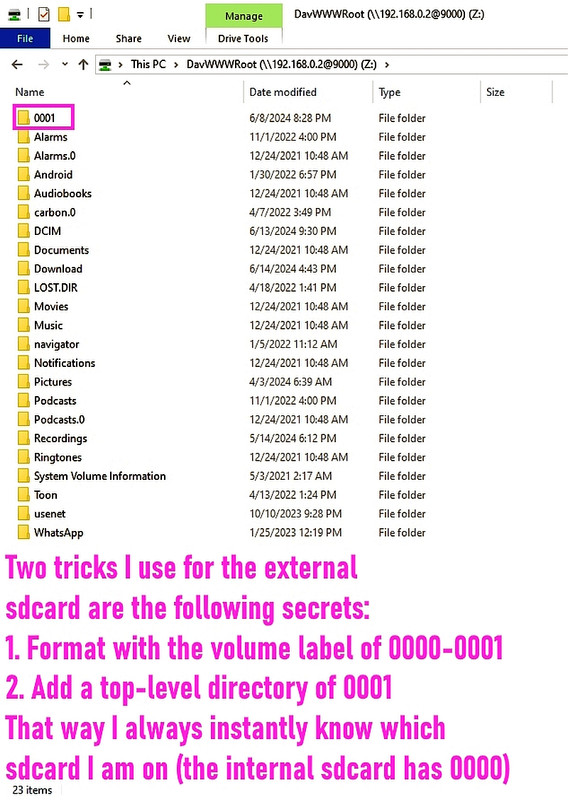
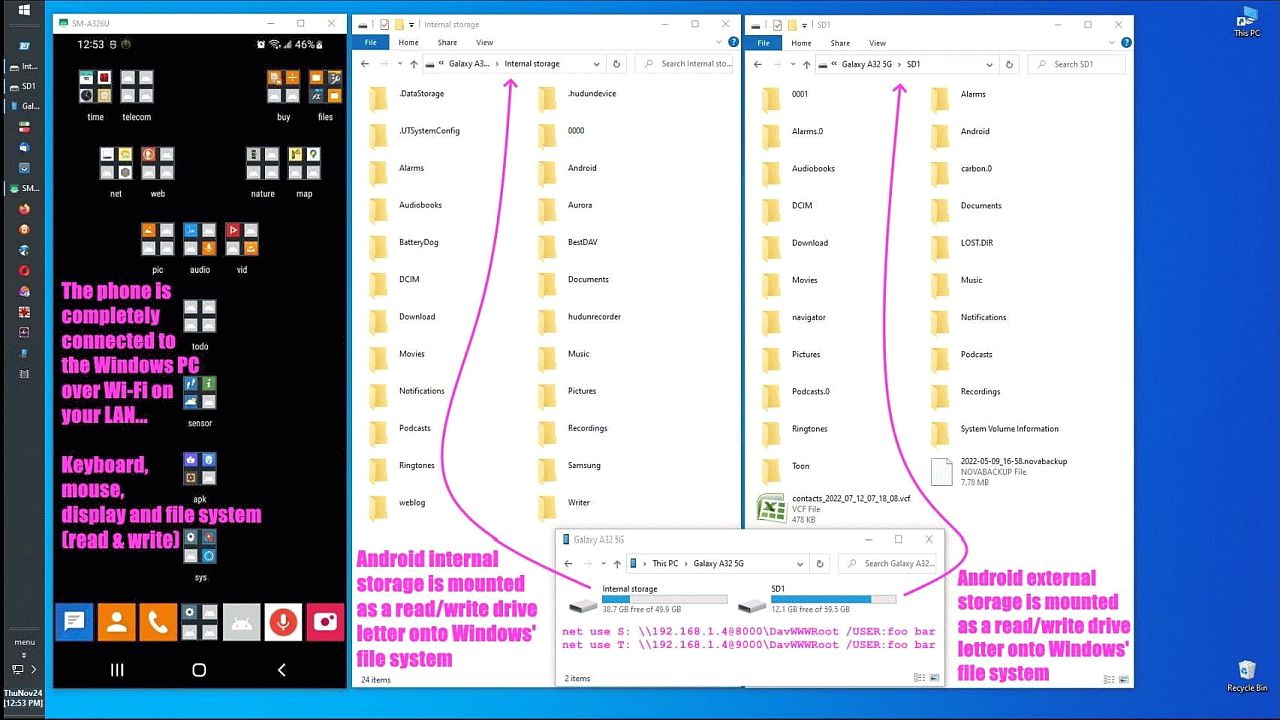
I "could" have solved the problem by putting the repair manual in one of those directories, but they're thoroughly polluted much like similar directories are on Windows, so my linux-learned rule is to use /usr/local instead (e.g., on Windows it's c:\data & on Android it's /0000 or /0001).
Maria Sophia wrote:
May I ask how long it took you and your team to arrive at that conclusion
and more importantly, what server mechanism you employed, if it's a free ad >> free easily available web server, because the Termux method has issues too.
Spent a few hours trying to create working content:// URLs, but when
that didn't work out, used AWebServer, an android build of apache httpd
with a minimal GUI ...
<https://play.google.com/store/apps/details?id=com.sylkat.apache>
In the end we paid the developer to produce a custom build that
1) auto started the web server
and 2) let us set our own document root
It looks like the latest version has included ftp, mySQL and myPHPadmin
In terms of WebView, Android 10+ is apparently only POXIX compliant in
a. /storage/emulated/0/Download/
b. /storage/emulated/0/Documents/
c. /storage/emulated/0/DCIM/
d. /storage/emulated/0/Pictures/
I "could" have solved the problem by putting the repair manual in one of
those directories, but they're thoroughly polluted much like similar
directories are on Windows, so my linux-learned rule is to use /usr/local
instead (e.g., on Windows it's c:\data & on Android it's /0000 or /0001).
Why not /storage/emulated/0/Documents/Books ?
I have {external card}/Movies to store movies in my new tablet and it
works fine with VLC. I also have {external card}/eBooks, but I need yet
a reader (Calibre is not available that I can find).
I just installed "Librera" from F-droid. It doesn't see the books in
that folder, even though it asked for permission to see all files. It sees:
/storage/emulated/0/Android
/storage/emulated/0/Download
/storage/emulated/0/Librera
However, if I browse to:
/storage/emulated/0/eBooks using cX file exprorer, and tap on a book, it offers me to upload to "Play Libros" (maybe Play Books?) or use "Librera FD", and the later works.
It seems that browsing and opening with CX, apps inherits the permission
in runtime to open that file.
I don't like storing a multithousand file thing in a card that is
possibly FAT or eFAT. Too many writes to the FAT area.
On 2026-07-05 15:48, Dave Royal wrote:
"Carlos E. R." <robin_listas@es.invalid> Wrote in message:
On 2026-07-05 05:57, Maria Sophia wrote:
Maria Sophia wrote:
I finally forced Android 16 to behave like a real operating system again. >>>>> I carved out a sane workflow inside an OS that keeps trying to turn into >>>>> iOS, and I did it without surrendering my /0000 Unix /usr/local philosophy.
SUMMARY (Linux users added because it was Linux to the rescue this time!) >>>>
Windows and Linux can easily open HTML books stored in custom top-level >>>> hierarchies, even if the books contain tens of thousands of pages & jpegs. >>>>
Unfortunately, Android 10 through 16 cannot open HTML book stored in custom
top-level POSIX folders such as /storage/emulated/0/0000/books/book1/.
I don't know what are "books" in this context.
If you mean electronic books, for me they are epubs, and I handle them
with Calibre.
https://www.gutenberg.org/ebooks/79019
I see html format is available, but I see no reason to use it, unless as >>> an intermediary to transform to something else.
Quite a lot of technical documentation is published as an html
'book'. This for example:
https://doc.rust-lang.org/book/
Historically html is a dialect of sgml, which was designed for
documentation
Ok...
Heh, they charge 45$ for the epub version.
No ZIP that I can see :-?
I would have to download using wget, and this tool modifies the links so that they are correct for your local installation.
I wonder if Calibre can convert that to epub.
"Carlos E. R." <robin_listas@es.invalid> Wrote in message:
On 2026-07-05 15:48, Dave Royal wrote:
"Carlos E. R." <robin_listas@es.invalid> Wrote in message:
On 2026-07-05 05:57, Maria Sophia wrote:
Maria Sophia wrote:I don't know what are "books" in this context.
I finally forced Android 16 to behave like a real operating system again.
I carved out a sane workflow inside an OS that keeps trying to turn into >>>>>> iOS, and I did it without surrendering my /0000 Unix /usr/local philosophy.
SUMMARY (Linux users added because it was Linux to the rescue this time!) >>>>>
Windows and Linux can easily open HTML books stored in custom top-level >>>>> hierarchies, even if the books contain tens of thousands of pages & jpegs.
Unfortunately, Android 10 through 16 cannot open HTML book stored in custom
top-level POSIX folders such as /storage/emulated/0/0000/books/book1/. >>>>
If you mean electronic books, for me they are epubs, and I handle them >>>> with Calibre.
https://www.gutenberg.org/ebooks/79019
I see html format is available, but I see no reason to use it, unless as >>>> an intermediary to transform to something else.
Quite a lot of technical documentation is published as an html
'book'. This for example:
https://doc.rust-lang.org/book/
Historically html is a dialect of sgml, which was designed for
documentation
Ok...
Heh, they charge 45$ for the epub version.
No ZIP that I can see :-?
I would have to download using wget, and this tool modifies the links so
that they are correct for your local installation.
The links are normally relative to the document root, so no need
to modify them.
In the days when software was released on CD such html documentation was common. But any browser could read local http files then.
I wonder if Calibre can convert that to epub.
If so I suppose you'd have to specify the medium size - eg A4. An
html file is liquid - it fills any window or page size.
But, on Android 10+, the mothership decided to ditch POSIX paths in part.
Given all that, I understand why you suggested that I jut put my data in /storage/emulated/0/Documents/Books, but the reason I do not use that (and hopefully I never will) comes directly from my decades of Unix system administration. On every Unix I have ever worked with, whether that's
SunOS, Solaris, Ultrix, DEC, VAX, AIX, HP-UX, IRIX, BSD, and even IBM mainframe Unix subsystems, we always kept a strict separation between
a. system-managed directories
b. user-managed directories
No ZIP that I can see :-?
I would have to download using wget, and this tool modifies the links so
that they are correct for your local installation.
The links are normally relative to the document root, so no need
to modify them.
In the days when software was released on CD such html documentation was common. But any browser could read local http files then.
I wonder if Calibre can convert that to epub.
If so I suppose you'd have to specify the medium size - eg A4. An
html file is liquid - it fills any window or page size.
I have my ways in Linux, but when I use a different OS, like Android, I adapt to its ways. I don't try to enforce my older habits ;-)
I did a test, downloading that rust book to my tablet, into
/storage/emulated/0/Documents/rust/book
and then tried to point firefox to it. Did not work. Then I navigated to
the "index" in CX, and tapped on it. It asked what to use, I said FFx,
and it happily opened the "book".
It is pointing to http://127.0.0.1:26108/sdcard/0/storage/6130-3634/Documents/book/index.html
I guess CX created automatically a web server on the fly, which is a
neat trick. Nice app.
Calibre is also capable of viewing the ZIP file directly,
but it calls firefox to do the actual viewing.
On 2026-07-05 22:00, Dave Royal wrote:
In the days when software was released on CD such html documentation was common. But any browser could read local http files then.Yes, I know. But calling that "book" confused me.
Epub is also liquid.
Carlos E. R. wrote:
Calibre is also capable of viewing the ZIP file directly,
but it calls firefox to do the actual viewing.
Hi Carlos,
I fed my 500MB zip file into Calibre and told it to convert it to an EPUB, which took a few hours on my 2009 Windows 10 PC, but it worked beautifully.
The resulting EPUB file was 400MB so it took a while for Calibre to load it the first time (due to all the caching that Calibre does on first loading).
When I looked at the file inside of Thorium, I got an appreciation for why HTML is an excellent medium, as there were tens of thousands of connected pages and images, where an EPUB can handle it, but it's slow as all hell.
Since the EPUB itself was 400MB, I didn't even bother copying to Android.
If it's slow on Windows, it's likely gonna be even slower on Android.
The HTML is, by way of contrast, is virtually instant when clicking about.
When I tried to convert the EPUB to a PDF, Calibre failed (with what seemed like memory errors) after about an hour or two, so I gave up on the PDF.
Looking into my c:\app\editor\epub directory, these seem to be most common cross platform EPUB readers, where I've sorted by large file handling.
thorium
most stable & fastest for huge image-heavy epubs like textbooks
calibre
most powerful for conversion & repair of image-heavy epubs
redium desktop
sibling of thorium but less polished than thorium
okular
KDE document viewer with medium-level EPUB support via plugins
hamster
best for small epubs
lucidor
best for very small epubs
fbreader
suitable for smaller epubs
adobe digital editions
not suitable as the epub engine is old and fragile
sumatra pdf
fast for small epubs
In summary, for certain kinds of references (such as highly cross-linked highly imaged technical manuals and textbooks), a zip HTML is likely ideal.
"Carlos E. R." <robin_listas@es.invalid> Wrote in message:
On 2026-07-05 22:00, Dave Royal wrote:I wouldn't call it a book either. The rust manual, to which had a
In the days when software was released on CD such html documentation was common. But any browser could read local http files then.Yes, I know. But calling that "book" confused me.
bookmark (!) on this tablet, was the first example I thought of.
It was just fortuitous that it had 'book' in the url. I see this
in the source:
<!-- Book generated using mdBook -->
I had forgotten. A few years back I converted a 'tunebook' - a mix of musical scores and text - into mobi format for display on a kindle. You want the score to occupy the whole page width, as big as possible. I wasn't sure how mobi resized the images, hence my comment in https://mudcat.org/thread.cfm?threadid=171470#4147314
Epub is also liquid.
"I wonder if the mobi has converted the compressed SVGs to some
other image format, each at several sizes for different
Kindles?"
On 2026-07-06 07:06, Maria Sophia wrote:
Carlos E. R. wrote:
In summary, for certain kinds of references (such as highly cross-linked
highly imaged technical manuals and textbooks), a zip HTML is likely
ideal.
Seeing that calibre imports the html directory as a zip file, it is
possible that there is software out there that directly renders readable those ZIP files. Or even hardware.
I fed my 500MB zip file into Calibre and told it to convert it to an EPUB, >> which took a few hours on my 2009 Windows 10 PC, but it worked beautifully.
Wow. My laptop took a few seconds, but it was just a 2.5 MiB zip.
The resulting EPUB file was 400MB so it took a while for Calibre to load it >> the first time (due to all the caching that Calibre does on first loading).
I have never seen an epub that big. In my case, the book that I tested
with can be purchased in epub format. Possibly the epub is available on
the emule network or such (for testing, of course).
When I looked at the file inside of Thorium, I got an appreciation for why >> HTML is an excellent medium, as there were tens of thousands of connected
pages and images, where an EPUB can handle it, but it's slow as all hell.
Since the EPUB itself was 400MB, I didn't even bother copying to Android.
If it's slow on Windows, it's likely gonna be even slower on Android.
The HTML is, by way of contrast, is virtually instant when clicking about. >>
When I tried to convert the EPUB to a PDF, Calibre failed (with what seemed >> like memory errors) after about an hour or two, so I gave up on the PDF.
I don't like PDF for books, because it doesn't flow the text. It is
fixed size. You need a display that matches the design size and
resolution (or better).
Looking into my c:\app\editor\epub directory, these seem to be most common >> cross platform EPUB readers, where I've sorted by large file handling.
thorium
most stable & fastest for huge image-heavy epubs like textbooks
calibre
most powerful for conversion & repair of image-heavy epubs
redium desktop
sibling of thorium but less polished than thorium
okular
KDE document viewer with medium-level EPUB support via plugins
hamster
best for small epubs
lucidor
best for very small epubs
fbreader
suitable for smaller epubs
adobe digital editions
not suitable as the epub engine is old and fragile
sumatra pdf
fast for small epubs
In summary, for certain kinds of references (such as highly cross-linked
highly imaged technical manuals and textbooks), a zip HTML is likely ideal.
Seeing that calibre imports the html directory as a zip file, it is
possible that there is software out there that directly renders readable those ZIP files. Or even hardware.
New-to-me tablet that someone gave back that I had given them as a gift.
I was copying an already-unzippled set of 25,000 html and JPEG files for a book from Windows to an Android tablet but it was taking forever (hours) so
I stopped it and copied only the 500MB zip file in just a minute or two,
but now that it's on Android how do I best unzip it so it works as HTML.
Maria Sophia wrote:
Apparently, Android only allows browsers to read:
/storage/emulated/0/Download/
/storage/emulated/0/Documents/
/storage/emulated/0/DCIM/
/storage/emulated/0/Pictures/
This is frustrating as Android seems to be getting more & more like iOS
as it appears that Android's WebView (used by all browsers) cannot open:
file:///storage/emulated/0/0000/...
So I need to find an app that still use direct POSIX filesystem access (and ignores SAF entirely), or, I can install a local HTTP server in Termux.
3. In Termux, install python.
$ pkg install python
4. In Termux, start the server
$ python3 -m http.server 8000
Serving HTTP on :: pot 8000 (http://[::]:8000) ...
5. Open any browser and type the following into the url address field
http://localhost:8000
6. Using the Privacy Browser, that brought up the top-level web page.
Then, I tapped on the first link... ... ... Voila!
The manual page2 showed up perfectly this time.
Whew!
Success at last!
Q: I have recently seen "books" transferred as a ZIP archive of a large
html tree. Calibre calls a browser to see a page at a time, AFAIK. I
wonder if there is software that displays that ZIP as a book directly, better on a tablet.
Yes. What you've seen is often called an **HTMLZ** (HTML in a ZIP), or simply a ZIP containing a static website. It's a nice format because it preserves hyperlinks, CSS, images, and search indexes while compressing
very well.
The difficulty is that there isn't a universally adopted "book reader"
for zipped HTML trees analogous to EPUB readers.
Here are the main options:
* **Calibre**: as you note, it essentially extracts or serves the HTML
and uses an embedded browser. It isn't really a dedicated HTML book renderer.
* **KOReader** (Android, Linux, Kobo, Kindle): probably the closest to
what you're looking for. It primarily supports EPUB, PDF, DjVu, etc.,
but it can also browse HTML files. However, it doesn't natively treat an arbitrary ZIPped website as a single book.
* **Static website in a browser**: on Android or Linux you can simply
unzip the archive and open `index.html`. Browsers do a surprisingly good job. Firefox on Android, for example, can open local HTML files (with a
bit of help from a file manager).
* **Mini HTTP server**: many people run
```bash
python3 -m http.server
```
in the extracted directory and browse to `http://localhost:8000/`.
This avoids issues some browsers have with `file://` URLs and JavaScript.
### Why EPUB became dominant
An EPUB is essentially:
```
book.epub
„€€ ZIP archive
†€€ XHTML files
†€€ CSS
†€€ images
†€€ metadata
„€€ navigation (table of contents)
```
So EPUB is really a standardized HTML tree in a ZIP with metadata.
Readers know how to paginate it, remember your position, annotate,
search, adjust fonts, etc. A raw ZIP of HTML lacks that standard structure.
### If your documentation is generated
For things like Rust docs, Python docs, man-page collections, or API documentation, I would actually **keep them as HTML** rather than
converting to EPUB. Documentation relies on hyperlinks more than on
linear reading, and browsers excel at that.
### An interesting possibility
It wouldn't be hard to write a small application that:
* opens a ZIP without extracting it permanently,
* serves its contents through an embedded HTTP server,
* displays them in a WebView,
* remembers your position and reading history.
Modern ZIP libraries allow random access, so the pages needn't even be unpacked to disk. I'm a little surprised there isn't a well-known open-source app that does exactly this, because it would be ideal for offline documentation on a tablet.
Out of curiosity, are you mainly thinking of **technical documentation** (Rust, Python, Linux man pages, etc.), or of **books** distributed as
HTML? The best tool tends to differ between those two use cases.
Q: I was thinking of that rust documentation, but as an example of the system.
I think the Rust documentation is actually an excellent example because
it's *not* a linear book in the EPUB sense. It's a small self-contained website. That changes what the ideal reader looks like.
If I were designing an offline documentation system today, I'd package
it as:
```
rust-book.zip
†€€ index.html
†€€ ch01.html
†€€ css/
†€€ fonts/
†€€ images/
†€€ search-index.js
„€€ ...
```
and the "reader" would simply:
* mount or read the ZIP directly;
* expose it through an internal HTTP server (or a custom URL scheme);
* render it in a browser component (WebView, Qt WebEngine, etc.);
* remember the last page, bookmarks, and maybe annotations.
No conversion to EPUB would be necessary.
The nice thing is that all the navigation, CSS, search, and JavaScript already exist. You'd just be providing a pleasant container around them.
### Existing software gets close
There are a few projects in the same spirit:
* **Zeal** (Linux/Windows) and **Dash** (macOS) store documentation in compressed docsets. Internally, these are HTML trees plus an index
database. They're aimed at API documentation rather than books.
* **DevDocs Offline** projects cache the HTML documentation for offline use. * Browser-based **Progressive Web Apps** can cache entire documentation sites for offline use, although support varies.
The common theme is that they're all essentially shipping HTML, not inventing a new document format.
### Why browsers aren't terrible readers anymore
Twenty years ago, HTML was a poor "book" format because pages were
static and browsers had little support for reading workflows. Nowadays browsers have:
* full-text search,
* history,
* zoom,
* dark mode,
* responsive layout,
* good typography,
* JavaScript-based navigation.
For technical documentation, that's often *better* than an EPUB reader, because the documentation was authored as a website in the first place.
### A feature I'd still like to see
One thing I haven't seen is a generic **"ZIP book reader"**: point it at
any ZIP containing an `index.html`, and it treats it like a book. It
would need only a handful of features:
* open ZIP without extracting it;
* detect the entry page (`index.html`);
* keep reading position;
* bookmarks;
* optional full-text search (using an embedded index if present).
That would cover not only the Rust Book, but also many documentation bundles, offline manuals, and even archived wikis. It's a surprisingly simple concept, yet I don't know of a mainstream application dedicated
to it.
Maria Sophia, 2026-07-05 04:51:
Maria Sophia wrote:
Apparently, Android only allows browsers to read:
/storage/emulated/0/Download/
/storage/emulated/0/Documents/
/storage/emulated/0/DCIM/
/storage/emulated/0/Pictures/
This is frustrating as Android seems to be getting more & more like iOS
as it appears that Android's WebView (used by all browsers) cannot open:
file:///storage/emulated/0/0000/...
This was never possible. Apps can NEVER access the filesystem outside
their own sandbox. Also before Android 5 this was a special API call
only possible, if the app has the permission for it. And nowadays, the
SAF is the preferred way to access files for security reasons.
So I need to find an app that still use direct POSIX filesystem access (and >> ignores SAF entirely), or, I can install a local HTTP server in Termux.
You can't find such an app, since this is not possible.
3. In Termux, install python.
$ pkg install python
4. In Termux, start the server
$ python3 -m http.server 8000
Serving HTTP on :: pot 8000 (http://[::]:8000) ...
5. Open any browser and type the following into the url address field
http://localhost:8000
6. Using the Privacy Browser, that brought up the top-level web page.
Then, I tapped on the first link... ... ... Voila!
The manual page2 showed up perfectly this time.
Whew!
Success at last!
Yes, because python3 is *not* an "app", it is just a program.
apps are *not* programs which just start and do something. They are
packages providing handlers for "actions" like "intentions" and in some
cases also provide services like "handle incoming TCP connection" or "do something once an hour" etc.. - but you must not confuse "app" with "program".
And no, this was never different in Android - even the very first
Android versions worked like this.
Carlos E. R. wrote:
Q: I have recently seen "books" transferred as a ZIP archive of a large
html tree. Calibre calls a browser to see a page at a time, AFAIK. I
wonder if there is software that displays that ZIP as a book directly,
better on a tablet.
I agree that, for technical documentation, HTML is often better than EPUB because it's designed for hyperlinks, search and non-linear navigation.
It would be nice if someone writes a simple app that opens a ZIP, serves it internally and displays it like a book-because it would solve all of this .
In my Android 16 case, and also in the case of Andy & Carlos on Android,
the real problem was SAF doesn't allow relative URLs in custom folders.
So any solution that works on Android, has to take SAF limitations into account, where I looked up how to view these thigns on iOS & it's similar.
On Android, we found that running a tiny web server worked.
But on Android 10+, we could also have tried what Carlos used:
a. An older version of CX file Manager has a built-in web server
b. So does X-plore File Manager--
c. And I'm told MiXplorer has excellent HTML-Z handling features
Interestingly, iOS seems to handle relative links *better* than Android. What's *different* about iOS is that iOS doesn't use SAF. Yipee!
An HTMLZ (a ZIP full of HTML with relative paths) will work on an iPad.
a. iPadOS does not break relative links the way Android 10+ does.
b. iPadOS does support relative paths inside an HTMLZ
c. iPadOS gives the browser real filesystem paths, not SAF streams.
d. So the browser sees the directory structure normally.
This means the 500MB shop manual will behave like a normal offline website. Safari will load the entire manual correctly.
Even so, we can still use the server method on iOS as we did on Android.
All of thse can run the same "python3 -m http.server" we used on Android.
a. iSH (Linux emulator)
b. Pythonista
c. Kodex
Once we start the HTTP server in $DOCUMENT_ROOT, then we point a browser to
<http://localhost:8000/>
So, had I tried my iPads first, prior to Android, it would have worked. (Although it's an Apple disaster trying to get a large file onto the iPad.)
In summary, on Android 10+ the SAF mechanism destroys POSIX paths outside
of the four public directories for web browser, so in order to put huge complex HTML-Z documentation on Android 16 outside of the four public directories, we had to employ a local server (or convert to EPUB/PDF).
Overall, I'm glad I ran into this problem because I learned about SAF and
how it screws up POSIX file paths in custom folders when browsing HTML.
And, I learned from testing Calibre for Carlos that EPUBs have a fantastic search mechanism for extremely complex data structures (as good as PDF).
And I learned that for huge, image-heavy, cross-linked manuals, HTML in a browser is the fastest method, so there's a place for HTMLZ after all.
Carlos E. R. wrote:
I fed my 500MB zip file into Calibre and told it to convert it to an EPUB, >>> which took a few hours on my 2009 Windows 10 PC, but it worked beautifully. >>Wow. My laptop took a few seconds, but it was just a 2.5 MiB zip.
My desktop is from 2009. It's still working well, but this stressed it. :)
The resulting EPUB file was 400MB so it took a while for Calibre to load it >>> the first time (due to all the caching that Calibre does on first loading). >>I have never seen an epub that big. In my case, the book that I tested
with can be purchased in epub format. Possibly the epub is available on
the emule network or such (for testing, of course).
My experience had been the same as yours. EPUBs are generally quite small. This one has tens of thousands of separate images yet very little text.
When I looked at the file inside of Thorium, I got an appreciation for why >>> HTML is an excellent medium, as there were tens of thousands of connected >>> pages and images, where an EPUB can handle it, but it's slow as all hell. >>>
Since the EPUB itself was 400MB, I didn't even bother copying to Android. >>> If it's slow on Windows, it's likely gonna be even slower on Android.
The HTML is, by way of contrast, is virtually instant when clicking about. >>>
When I tried to convert the EPUB to a PDF, Calibre failed (with what seemed >>> like memory errors) after about an hour or two, so I gave up on the PDF.
I don't like PDF for books, because it doesn't flow the text. It is
fixed size. You need a display that matches the design size and
resolution (or better).
I agree that PDF isn't all that great for books in that, for me, my eyes aren't so great and a PDF makes you sit and stare at it to read it.
I prefer to convert the (text) PDF to audio using cross platform balabolka freeware which then turns any (text) PDF into an audio book.
It's not as good as a human reader for some books, e.g., when I converted Einstein's 1916 (updated in 1922) book on relativity, calculations are
messed up when spoken by balabolka's conversion utilities.
But now I'm one of the few non-physicists who understand gravity as a
result, since I was in a compression/decompression chamber for a month.
As an aside, almost nobody understands gravity. One in a million I'd bet.
And even as I understand it to that level, there's still much I don't know.
Looking into my c:\app\editor\epub directory, these seem to be most common >>> cross platform EPUB readers, where I've sorted by large file handling.Seeing that calibre imports the html directory as a zip file, it is
thorium
most stable & fastest for huge image-heavy epubs like textbooks
calibre
most powerful for conversion & repair of image-heavy epubs
redium desktop
sibling of thorium but less polished than thorium
okular
KDE document viewer with medium-level EPUB support via plugins
hamster
best for small epubs
lucidor
best for very small epubs
fbreader
suitable for smaller epubs
adobe digital editions
not suitable as the epub engine is old and fragile
sumatra pdf
fast for small epubs
In summary, for certain kinds of references (such as highly cross-linked >>> highly imaged technical manuals and textbooks), a zip HTML is likely ideal. >>
possible that there is software out there that directly renders readable
those ZIP files. Or even hardware.
I agree that Calibre had no problem importing the single 500MB zip file.
It just took a long time, but Calibre didn't even blink on the contents.
It's just that my circa 2009 PC runs slowly when it's time to crunch it.
I've learned there's a good reason highly cross-linked documents filled
with images and almost no text are supplied in a zip file HTML format.
It's amazing how fast HTML is compared to the EPUB, although the epub has
the distinct advantage of a fantastic search mechanism that shocked me.
With EPUB, when you search, you get every instance but every line of every instance (much like you'd get with a (text) PDF, so that was really nice.
So if you need to search a huge 500MB HTML document containing tens of thousands of files, converting it to a 400MB EPUB allows that fantastic search, but if you need to actually navigate it, an HTML server wins out.--
In comp.mobile.android,alt.os.linux,alt.comp.os.windows-10 "Carlos E. R." <robin_listas@es.invalid> wrote:
On 2026-07-05 15:48, Dave Royal wrote:
"Carlos E. R." <robin_listas@es.invalid> Wrote in message:
On 2026-07-05 05:57, Maria Sophia wrote:
Maria Sophia wrote:I don't know what are "books" in this context.
I finally forced Android 16 to behave like a real operating system again.
I carved out a sane workflow inside an OS that keeps trying to turn into >>>>>> iOS, and I did it without surrendering my /0000 Unix /usr/local philosophy.
SUMMARY (Linux users added because it was Linux to the rescue this time!) >>>>>
Windows and Linux can easily open HTML books stored in custom top-level >>>>> hierarchies, even if the books contain tens of thousands of pages & jpegs.
Unfortunately, Android 10 through 16 cannot open HTML book stored in custom
top-level POSIX folders such as /storage/emulated/0/0000/books/book1/. >>>>
If you mean electronic books, for me they are epubs, and I handle them >>>> with Calibre.
https://www.gutenberg.org/ebooks/79019
I see html format is available, but I see no reason to use it, unless as >>>> an intermediary to transform to something else.
Quite a lot of technical documentation is published as an html
'book'. This for example:
https://doc.rust-lang.org/book/
Historically html is a dialect of sgml, which was designed for
documentation
Ok...
Heh, they charge 45$ for the epub version.
No ZIP that I can see :-?
I would have to download using wget, and this tool modifies the links so
that they are correct for your local installation.
I wonder if Calibre can convert that to epub.
As I posted about in (rec.autos.tech) last month:
Subject: Free Vehicle Service Manuals
Date: 11 Jun 2026
Message-ID: <6a2a43e6@news.ausics.net>
I've been using Operation CHARM for some time (https://charm.li/),
which covers vehicles (USA & Canada models) from 1982 to 2013. Now I
see there's a new site, LEMON, with service manuals for vehicles
from 1960 to 2025:
https://lemon-manuals.la/
Luckily, Termux can access the real filesystem directly using standard Unix system calls, without Android rewriting the paths into SAF content:// URIs. Because Termux sees the actual directory structure, it can serve the HTML manual correctly, and all relative links work.
Maria Sophia wrote:
I finally forced Android 16 to behave like a real operating system again. >> I carved out a sane workflow inside an OS that keeps trying to turn into
iOS, and I did it without surrendering my /0000 Unix /usr/local philosophy.
SUMMARY (Linux users added because it was Linux to the rescue this time!)
Windows and Linux can easily open HTML books stored in custom top-level hierarchies, even if the books contain tens of thousands of pages & jpegs.
Unfortunately, Android 10 through 16 cannot open HTML book stored in custom top-level POSIX folders such as /storage/emulated/0/0000/books/book1/.
All Android web browsers use WebView, which is restricted by Scoped Storage and the Storage Access Framework (SAF). When you try to open index.html, Android does not give the browser the real filesystem path.
Instead it rewrites the path into a SAF URI like:
content://com.android.externalstorage.documents/document/primary%3A0000%2Fbooks%2Fbook1%2Findex.html
SAF URIs are not real filesystem paths.
Because of this, all relative links inside the book1 break.
For example:
pages/2.html
images/foo.png
css/style.css
These links get rewritten into invalid SAF document URIs such as:
content://com.android.externalstorage.documents/document/pages/2.html
Browsers cannot resolve these, so they fail with errors like
ERR_ACCESS_DENIED and ERR_FILE_NOT_FOUND.
Android WebView only allows file:// access in a few public folders (Download, Documents, DCIM, Pictures) but Linux users often use custom folders like /usr/local so that they can back up everything they care about easily, and so that they're not polluted by the Android system.
Custom folders like /0000 are blocked.
Unzipping the book1 works fine, but opening index.html directly from
the top-level /0000 fails in every browser tested.
Solution:
Use Termux to bypass SAF entirely. Termux uses real POSIX filesystem
access. After granting Termux full file permissions in Android Settings,
you can run a local HTTP server that serves the book1 using real paths.
Steps:
1. Install Termux from GitHub or F-Droid.
2. Grant Termux "All files access" in Android Settings.
3. In Termux, install Python:
pkg install python
4. Navigate to the book1 directory:
cd /storage/emulated/0/0000/books/book1
5. Start a local HTTP server:
python3 -m http.server 8000
6. Open any browser and go to:
http://localhost:8000
Because the book1 is now served over HTTP, the browser treats it as a
normal website. All relative links, images, CSS, and subpages work
correctly. This bypasses SAF and restores normal filesystem behavior.
Result:
The entire HTML book named book1 displays perfectly on Android while remaining in the user's own custom directory (/0000) so that it can
be copied over during backups along with the rest of the users' data.
AFAIK, this method works reliably on all modern Android versions.
On 2026-07-05 05:57, Maria Sophia wrote:
Maria Sophia wrote:
I finally forced Android 16 to behave like a real operating system again. >>> I carved out a sane workflow inside an OS that keeps trying to turn into >>> iOS, and I did it without surrendering my /0000 Unix /usr/local philosophy. >>SUMMARY (Linux users added because it was Linux to the rescue this time!)
Windows and Linux can easily open HTML books stored in custom top-level
hierarchies, even if the books contain tens of thousands of pages & jpegs. >>
Unfortunately, Android 10 through 16 cannot open HTML book stored in custom >> top-level POSIX folders such as /storage/emulated/0/0000/books/book1/.
I don't know what are "books" in this context.
If you mean electronic books, for me they are epubs, and I handle them
with Calibre.
https://www.gutenberg.org/ebooks/79019
I see html format is available, but I see no reason to use it, unless
as an intermediary to transform to something else.
Maria Sophia, 2026-07-05 04:51:
Maria Sophia wrote:
Apparently, Android only allows browsers to read:
/storage/emulated/0/Download/
/storage/emulated/0/Documents/
/storage/emulated/0/DCIM/
/storage/emulated/0/Pictures/
This is frustrating as Android seems to be getting more & more like iOS
as it appears that Android's WebView (used by all browsers) cannot open:
file:///storage/emulated/0/0000/...
This was never possible. Apps can NEVER access the filesystem outside
their own sandbox.
Also before Android 5 this was a special API call
only possible, if the app has the permission for it. And nowadays, the
SAF is the preferred way to access files for security reasons.
So I need to find an app that still use direct POSIX filesystem access (and >> ignores SAF entirely), or, I can install a local HTTP server in Termux.
You can't find such an app, since this is not possible.
3. In Termux, install python.
$ pkg install python
4. In Termux, start the server
$ python3 -m http.server 8000
Serving HTTP on :: pot 8000 (http://[::]:8000) ...
5. Open any browser and type the following into the url address field
http://localhost:8000
6. Using the Privacy Browser, that brought up the top-level web page.
Then, I tapped on the first link... ... ... Voila!
The manual page2 showed up perfectly this time.
Whew!
Success at last!
Yes, because python3 is *not* an "app", it is just a program.
apps are *not* programs which just start and do something. They are
packages providing handlers for "actions" like "intentions" and in some
cases also provide services like "handle incoming TCP connection" or "do something once an hour" etc.. - but you must not confuse "app" with "program".
And no, this was never different in Android - even the very first
Android versions worked like this.
On 2026-07-05, Maria Sophia wrote:
Luckily, Termux can access the real filesystem directly using standard Unix >> system calls, without Android rewriting the paths into SAF content:// URIs. >> Because Termux sees the actual directory structure, it can serve the HTML
manual correctly, and all relative links work.
Can Termux list the internal and external storage directories under
/storage?
With Emacs, I can access these directories if I know their name, but it
is still not exposed as a walkable hierarchy, because Emacs sees
/storage as empty.
I tried creating a symlink so that programs could still access both directories from a single root somehow, but that's apparently not
allowed either. I can (and I did) create symlinks within Emacs' home
dir, but that's local to Emacs (or possibly Emacs and Termux in builds
made for that integration - I didn't try such a thing yet), it's not something other applications could use after being done once.
This also creates a usability problem in other programs, like file
explorers or KOReader, or at least KOReader and Fossify File Manager
cannot offer it as a walkable tree with a single root, and instead
require me to go through a choice menu for internal or external
storage. (Although the file manager could always create a fake root in
the interface instead of making that part of the interaction different.)
KOReader on Android 4.2 is capable of moving between both storages just
by changing between folders in the VFS, making this effectively a downgrade...
I agree that PDF isn't all that great for books in that, for me, my eyes
aren't so great and a PDF makes you sit and stare at it to read it.
Maybe it would be easier to read in an ebook device, using epaper which doesn't shine.
"Carlos E. R." <robin_listas@es.invalid> Wrote in message:
On 2026-07-05 05:57, Maria Sophia wrote:
Maria Sophia wrote:
I finally forced Android 16 to behave like a real operating system again. >>>> I carved out a sane workflow inside an OS that keeps trying to turn into >>>> iOS, and I did it without surrendering my /0000 Unix /usr/local philosophy.
SUMMARY (Linux users added because it was Linux to the rescue this time!) >>>
Windows and Linux can easily open HTML books stored in custom top-level
hierarchies, even if the books contain tens of thousands of pages & jpegs. >>>
Unfortunately, Android 10 through 16 cannot open HTML book stored in custom >>> top-level POSIX folders such as /storage/emulated/0/0000/books/book1/.
I don't know what are "books" in this context.
If you mean electronic books, for me they are epubs, and I handle them
with Calibre.
https://www.gutenberg.org/ebooks/79019
I see html format is available, but I see no reason to use it, unless as
an intermediary to transform to something else.
Quite a lot of technical documentation is published as an html
'book'. This for example:
https://doc.rust-lang.org/book/
Historically html is a dialect of sgml, which was designed for
documentation
On 2026-07-05 15:48, Dave Royal wrote:
"Carlos E. R." <robin_listas@es.invalid> Wrote in message:
On 2026-07-05 05:57, Maria Sophia wrote:
Maria Sophia wrote:
I finally forced Android 16 to behave like a real operating system again. >>>>> I carved out a sane workflow inside an OS that keeps trying to turn into >>>>> iOS, and I did it without surrendering my /0000 Unix /usr/local philosophy.
SUMMARY (Linux users added because it was Linux to the rescue this time!) >>>>
Windows and Linux can easily open HTML books stored in custom top-level >>>> hierarchies, even if the books contain tens of thousands of pages & jpegs. >>>>
Unfortunately, Android 10 through 16 cannot open HTML book stored in custom
top-level POSIX folders such as /storage/emulated/0/0000/books/book1/.
I don't know what are "books" in this context.
If you mean electronic books, for me they are epubs, and I handle them
with Calibre.
https://www.gutenberg.org/ebooks/79019
I see html format is available, but I see no reason to use it, unless as >>> an intermediary to transform to something else.
Quite a lot of technical documentation is published as an html
'book'. This for example:
https://doc.rust-lang.org/book/
Historically html is a dialect of sgml, which was designed for
documentation
Ok...
Heh, they charge 45$ for the epub version.
No ZIP that I can see :-?
I would have to download using wget, and this tool modifies the links so that they are correct for your local installation.
I wonder if Calibre can convert that to epub.
Carlos E. R. <robin_listas@es.invalid> wrote:
On 2026-07-05 15:48, Dave Royal wrote:
"Carlos E. R." <robin_listas@es.invalid> Wrote in message:
On 2026-07-05 05:57, Maria Sophia wrote:
Maria Sophia wrote:I don't know what are "books" in this context.
I finally forced Android 16 to behave like a real operating system again.
I carved out a sane workflow inside an OS that keeps trying to turn into >>>>>> iOS, and I did it without surrendering my /0000 Unix /usr/local philosophy.
SUMMARY (Linux users added because it was Linux to the rescue this time!) >>>>>
Windows and Linux can easily open HTML books stored in custom top-level >>>>> hierarchies, even if the books contain tens of thousands of pages & jpegs.
Unfortunately, Android 10 through 16 cannot open HTML book stored in custom
top-level POSIX folders such as /storage/emulated/0/0000/books/book1/. >>>>
If you mean electronic books, for me they are epubs, and I handle them >>>> with Calibre.
https://www.gutenberg.org/ebooks/79019
I see html format is available, but I see no reason to use it, unless as >>>> an intermediary to transform to something else.
Quite a lot of technical documentation is published as an html
'book'. This for example:
https://doc.rust-lang.org/book/
Historically html is a dialect of sgml, which was designed for
documentation
Ok...
Heh, they charge 45$ for the epub version.
No ZIP that I can see :-?
I would have to download using wget, and this tool modifies the links so
that they are correct for your local installation.
I wonder if Calibre can convert that to epub.
No need. If you go to the github you can download the source and build it
in whatever format you want.
Dave Royal <dave@dave123royal.com> wrote:
"Carlos E. R." <robin_listas@es.invalid> Wrote in message:
On 2026-07-05 05:57, Maria Sophia wrote:
Maria Sophia wrote:
I finally forced Android 16 to behave like a real operating system again. >>>>> I carved out a sane workflow inside an OS that keeps trying to turn into >>>>> iOS, and I did it without surrendering my /0000 Unix /usr/local philosophy.
SUMMARY (Linux users added because it was Linux to the rescue this time!) >>>>
Windows and Linux can easily open HTML books stored in custom top-level >>>> hierarchies, even if the books contain tens of thousands of pages & jpegs. >>>>
Unfortunately, Android 10 through 16 cannot open HTML book stored in custom
top-level POSIX folders such as /storage/emulated/0/0000/books/book1/.
I don't know what are "books" in this context.
If you mean electronic books, for me they are epubs, and I handle them
with Calibre.
https://www.gutenberg.org/ebooks/79019
I see html format is available, but I see no reason to use it, unless as >>> an intermediary to transform to something else.
Quite a lot of technical documentation is published as an html
'book'. This for example:
https://doc.rust-lang.org/book/
Historically html is a dialect of sgml, which was designed for
documentation
It may be published as html, but nowadays most documentation is *written*
in Markdown or similar dialect. With Markdown it's very easy to export into different formats like html, docx or pdf. There's no need save the book in html.
On 2026-07-08 19:51, Chris wrote:
Carlos E. R. <robin_listas@es.invalid> wrote:
On 2026-07-05 15:48, Dave Royal wrote:
"Carlos E. R." <robin_listas@es.invalid> Wrote in message:
On 2026-07-05 05:57, Maria Sophia wrote:
Maria Sophia wrote:I don't know what are "books" in this context.
I finally forced Android 16 to behave like a real operating system again.
I carved out a sane workflow inside an OS that keeps trying to turn into
iOS, and I did it without surrendering my /0000 Unix /usr/local philosophy.
SUMMARY (Linux users added because it was Linux to the rescue this time!)
Windows and Linux can easily open HTML books stored in custom top-level >>>>>> hierarchies, even if the books contain tens of thousands of pages & jpegs.
Unfortunately, Android 10 through 16 cannot open HTML book stored in custom
top-level POSIX folders such as /storage/emulated/0/0000/books/book1/. >>>>>
If you mean electronic books, for me they are epubs, and I handle them >>>>> with Calibre.
https://www.gutenberg.org/ebooks/79019
I see html format is available, but I see no reason to use it, unless as >>>>> an intermediary to transform to something else.
Quite a lot of technical documentation is published as an html
'book'. This for example:
https://doc.rust-lang.org/book/
Historically html is a dialect of sgml, which was designed for
documentation
Ok...
Heh, they charge 45$ for the epub version.
No ZIP that I can see :-?
I would have to download using wget, and this tool modifies the links so >>> that they are correct for your local installation.
I wonder if Calibre can convert that to epub.
No need. If you go to the github you can download the source and build it
in whatever format you want.
Ah. Right. Did not occur to me, but in the past I had little luck with
doc building.
| Sysop: | DaiTengu |
|---|---|
| Location: | Appleton, WI |
| Users: | 1,127 |
| Nodes: | 10 (0 / 10) |
| Uptime: | 34:55:25 |
| Calls: | 14,430 |
| Calls today: | 1 |
| Files: | 186,410 |
| D/L today: |
5,592 files (1,666M bytes) |
| Messages: | 2,552,553 |
| Posted today: | 2 |