Looking for Ubuntu 22.04 recommendations for monitoring and shutdown software for Cyberpower 550VA.
As my PC is dual boot at start up (either Win 10 or Ubuntu), I've always had the Cyberpower software in Win, but I seldom use Win. Not sure what to use for Ubuntu.
Thank you!
Looking for Ubuntu 22.04 recommendations for monitoring and shutdown
software for Cyberpower 550VA.
As my PC is dual boot at start up (either Win 10 or Ubuntu), I've always
had the Cyberpower software in Win, but I seldom use Win. Not sure what
to use for Ubuntu.
Thank you!
George Garth wrote:
Looking for Ubuntu 22.04 recommendations for monitoring and shutdown
software for Cyberpower 550VA.
As my PC is dual boot at start up (either Win 10 or Ubuntu), I've always
had the Cyberpower software in Win, but I seldom use Win. Not sure what
to use for Ubuntu.
Thank you!
CyberPower has software for Linux, get the deb version for Ubuntu. I use
it on all my Ubuntu systems and at the library I manage
<https://www.cyberpower.com/global/en/product/sku/powerpanel_for_linux#downloads>
Note that it is command line only. Been meaning to make a python GUI
overlay for Windows refugees but haven't gotten around to it. Maybe this year...
On 3/19/26 8:15 AM, Jonathan N. Little wrote:
George Garth wrote:Been trying it out today, but can't seem to get it to work. I wish
Looking for Ubuntu 22.04 recommendations for monitoring and shutdown
software for Cyberpower 550VA.
As my PC is dual boot at start up (either Win 10 or Ubuntu), I've always >>> had the Cyberpower software in Win, but I seldom use Win. Not sure what >>> to use for Ubuntu.
Thank you!
CyberPower has software for Linux, get the deb version for Ubuntu. I use
it on all my Ubuntu systems and at the library I manage
<https://www.cyberpower.com/global/en/product/sku/powerpanel_for_linux#downloads>
Note that it is command line only. Been meaning to make a python GUI
overlay for Windows refugees but haven't gotten around to it. Maybe this
year...
there was a Ubuntu GUI because I hate command line. I'm going to
uninstall the deb soon and just let everything alone. I've been
considering replacing the lead acid battery with one of the lithium
phosphate ones. Not sure if it's a direct replacement though.
This last time the battery went defunct, I thought the UPS was at fault because it kept cycling on and off even if nothing was plugged in. The replacement battery seems to have solved the issue, but I'd like to get something lasting longer than 3 years which is why I was looking at the lithiums.
George Garth wrote:
On 3/19/26 8:15 AM, Jonathan N. Little wrote:
George Garth wrote:Been trying it out today, but can't seem to get it to work. I wish
Looking for Ubuntu 22.04 recommendations for monitoring and shutdown
software for Cyberpower 550VA.
As my PC is dual boot at start up (either Win 10 or Ubuntu), I've always >>>> had the Cyberpower software in Win, but I seldom use Win. Not sure what >>>> to use for Ubuntu.
Thank you!
CyberPower has software for Linux, get the deb version for Ubuntu. I use >>> it on all my Ubuntu systems and at the library I manage
<https://www.cyberpower.com/global/en/product/sku/powerpanel_for_linux#downloads>
Note that it is command line only. Been meaning to make a python GUI
overlay for Windows refugees but haven't gotten around to it. Maybe this >>> year...
there was a Ubuntu GUI because I hate command line. I'm going to
uninstall the deb soon and just let everything alone. I've been
considering replacing the lead acid battery with one of the lithium
phosphate ones. Not sure if it's a direct replacement though.
This last time the battery went defunct, I thought the UPS was at fault
because it kept cycling on and off even if nothing was plugged in. The
replacement battery seems to have solved the issue, but I'd like to get
something lasting longer than 3 years which is why I was looking at the
lithiums.
I hear you, especially since the configuration file is a bit confusing.
What most people want is to set the UPS to run on battery WITHOUT THE
DANG ALARM until the battery gets low and then shut the system down gracefully. Unfortunately that is not the default configuration on
Linux. It shuts the system down as soon as there is a power failure, NOT
what you want. Here is how to fix it, step by step:
1) install the deb (use the terminal because your need it to check
things (sorry):
2) start terminal:
CTRL + ALT + T
3) cd where the deb file is, assuming in Downloads
cd Downloads
4) install it:
sudo dpkg -i CyberPower_PPL_Linux+64bit+(deb)_v1.4.1.deb
5) Check that it is successfully running
systemctl status pwrstatd --no-pager
you are wanting to see " Active: active (running)"
6) Now let's fix the setup, first back up the config, just in case ;)
sudo cp /etc/pwrstatd.conf /etc/pwrstatd.conf.backup
7) Now edit the file:
sudo nano /etc/pwrstatd.conf
a) find "powerfail-shutdown" setting and change from "yes" to "no", you
do not want the system to power off immediately when a power fails
powerfail-shutdown = no
b) find "lowbatt-threshold" the default is 35%, adjust to how long you
want to run on battery when the battery falls to before the system
powers off
lowbatt-threshold = 35
c) find the "lowbatt-shutdown" setting and confirm it is "yes". You do
want the system to power off on this condition
lowbatt-shutdown = yes
d) find "enable-alarm" setting and change from "yes" to "no", we don't
want the damn thing beeping while on battery. You will know you have a
power failure
enable-alarm = no
e) save the file and exit:
CTRL + X
8) now restart service and check status
sudo systemctl restart pwrstatd && systemctl status pwrstatd --no-pager
You now should be good to go. while in the terminal you can do some things
Check the status with:
sudo pwrstat -status
You should see your UPS model and current status
Also a good time to check the battery with the test:
sudo pwrstat -test
Wait a couple of minutes and check the status again. If your system
shuts down immediately when stating the test and the status check said
the batteries were full then your batteries are dead and need to be
replaced
HTH
Ok, thanks a bunch! Finally able to get some software response.
Initially I tried just clicking on the deb and installed from the
software center, but wasn't getting any of the above.
I recently had to replace the power supply so it's about double what the
UPS is supposed to handle. After about 2 min, batt had dropped to 35%,
so will have to be sure and shut down asap if power fails.
Thanks again for your help. I will print out the instructions and keep--
them handy nearby.
George Garth wrote:
<snip>
Ok, thanks a bunch! Finally able to get some software response.
Initially I tried just clicking on the deb and installed from the
software center, but wasn't getting any of the above.
I recently had to replace the power supply so it's about double what the
UPS is supposed to handle. After about 2 min, batt had dropped to 35%,
so will have to be sure and shut down asap if power fails.
The power supply won't matter it is the power load your system draws,
most of the library workstations load is only about 6-10% load
Properties:
Model Name................... CP1500PFCLCDa
Firmware Number.............. CR01802CBH11
Rating Voltage............... 120 V
Rating Power................. 1000 Watt(1500 VA)
Current UPS status:
State........................ Normal
Power Supply by.............. Utility Power
Utility Voltage.............. 122 V
Output Voltage............... 122 V
Battery Capacity............. 100 %
Remaining Runtime............ 92 min.
Load......................... 60 Watt(6 %)
Line Interaction............. None
Test Result.................. Passed at 2022/08/06 22:46:44
Last Power Event............. Blackout at 2026/03/16 19:19:09 for 12 sec.
But this new Window 11 sucker I just build is 26% Load for 35 mins
runtime. If your battery dropped to 35% in just 2 minutes and you load
is 30% or less then you need new batteries. I find MightyMax one on eBay
or Amazon are good. Just bought a pair of 12V 9Ah SLAs for $45
Youtube has vids on how to swap out batteries.
Thanks again for your help. I will print out the instructions and keep
them handy nearby.
On 3/19/26 1:28 PM, Jonathan N. Little wrote:
George Garth wrote:
<snip>
Ok, thanks a bunch! Finally able to get some software response.
Initially I tried just clicking on the deb and installed from the
software center, but wasn't getting any of the above.
I recently had to replace the power supply so it's about double what the >>> UPS is supposed to handle. After about 2 min, batt had dropped to 35%, >>> so will have to be sure and shut down asap if power fails.
The power supply won't matter it is the power load your system draws,
most of the library workstations load is only about 6-10% load
Properties:
Model Name................... CP1500PFCLCDa >> Firmware Number.............. CR01802CBH11 >> Rating Voltage............... 120 V
Rating Power................. 1000 Watt(1500 VA)
Current UPS status:
State........................ Normal
Power Supply by.............. Utility Power >> Utility Voltage.............. 122 V
Output Voltage............... 122 V
Battery Capacity............. 100 %
Remaining Runtime............ 92 min.
Load......................... 60 Watt(6 %) >> Line Interaction............. None
Test Result.................. Passed at 2022/08/06
22:46:44
Last Power Event............. Blackout at 2026/03/16
19:19:09 for 12 sec.
But this new Window 11 sucker I just build is 26% Load for 35 mins
runtime. If your battery dropped to 35% in just 2 minutes and you load
is 30% or less then you need new batteries. I find MightyMax one on eBay
or Amazon are good. Just bought a pair of 12V 9Ah SLAs for $45
Youtube has vids on how to swap out batteries.
Thanks again for your help. I will print out the instructions and keep >>> them handy nearby.
I'll run the test again later and check the load, but it's going to be a good bit more than 30% I think.
Just a couple of issues. I noticed upon rebooting when checking status, only the UPS properties were shown and current UPS status was
disconnected. Only when I removed and plugged in the USB cable from the
UPS did current UPS status show info.
I also don't see "load" and "line interaction" parameters like in yours
above as they are missing.
George Garth wrote:
Just a couple of issues. I noticed upon rebooting when checking status,
only the UPS properties were shown and current UPS status was
disconnected. Only when I removed and plugged in the USB cable from the
UPS did current UPS status show info.
I also don't see "load" and "line interaction" parameters like in yours
above as they are missing.
I think it is because you are using a more basic model the ol' brick
type like this if I am not mistaken:
<https://i5.walmartimages.com/seo/Cyberpower-550Va-330W-Ups-Green_e95a84da-d643-40fe-b644-48d4ed740ae2.1c7f9fc4685f001a9b7b44520fee9b0e.jpeg?odnHeight=2000&odnWidth=2000&odnBg=FFFFFF>
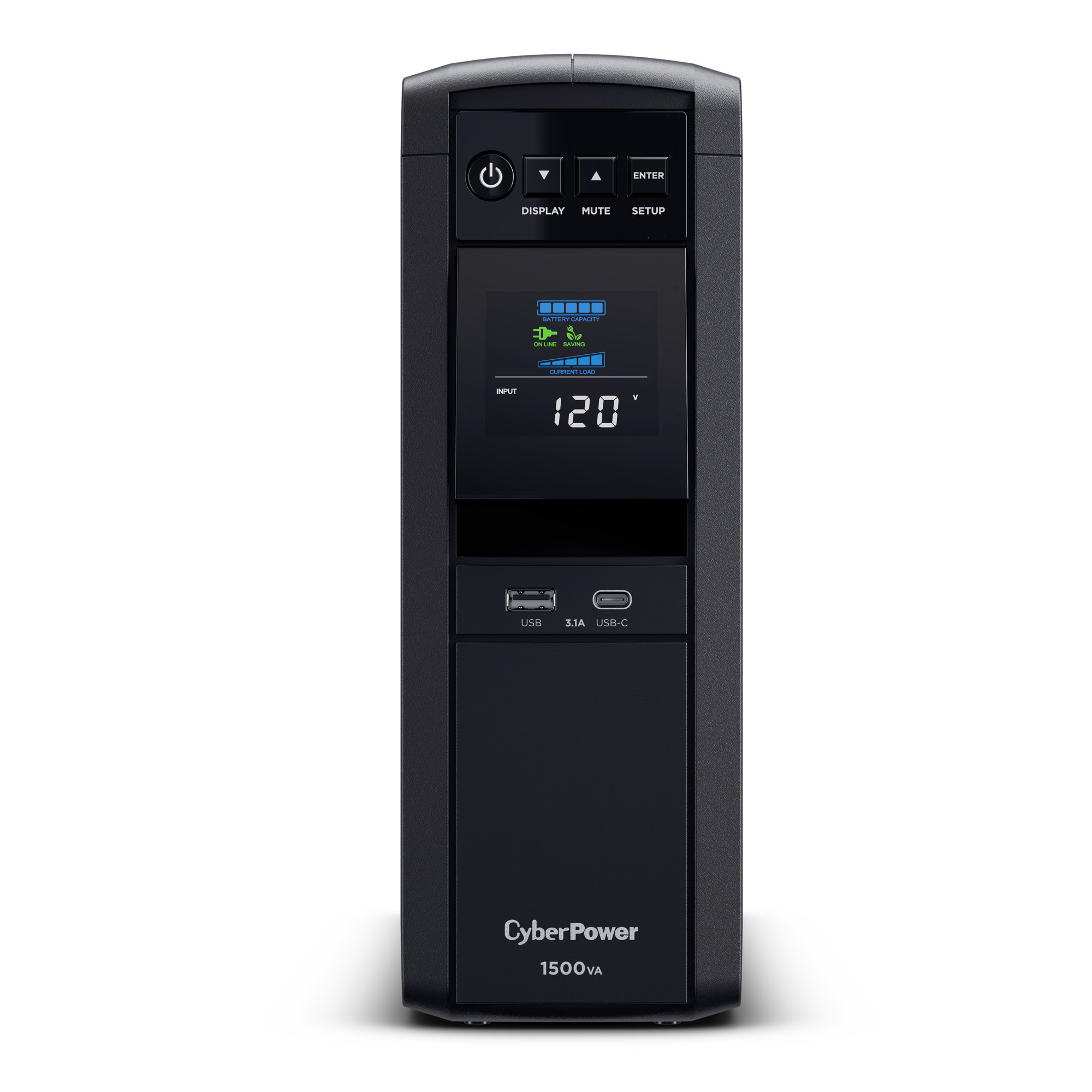
Whereas I use the tower versions with more features like this:
<https://i5.walmartimages.com/seo/CyberPower-CP1500PFCLCD-1500VA-1000W-Black-Battery-Backup-UPS-System-with-12-Outlets-5-ft-Cord_a4925c46-2cbc-4e6f-ab1e-00f5e816ed2d.6d50bdcac788ce6143c486cf0dc8fddb.jpeg?odnHeight=573&odnWidth=573&odnBg=FFFFFF>
On Thu, 3/19/2026 9:45 PM, Jonathan N. Little wrote:
George Garth wrote:
Just a couple of issues. I noticed upon rebooting when checking status, >>> only the UPS properties were shown and current UPS status was
disconnected. Only when I removed and plugged in the USB cable from the >>> UPS did current UPS status show info.
I also don't see "load" and "line interaction" parameters like in yours
above as they are missing.
I think it is because you are using a more basic model the ol' brick
type like this if I am not mistaken:
<https://i5.walmartimages.com/seo/Cyberpower-550Va-330W-Ups-Green_e95a84da-d643-40fe-b644-48d4ed740ae2.1c7f9fc4685f001a9b7b44520fee9b0e.jpeg?odnHeight=2000&odnWidth=2000&odnBg=FFFFFF>
Whereas I use the tower versions with more features like this:
<https://i5.walmartimages.com/seo/CyberPower-CP1500PFCLCD-1500VA-1000W-Black-Battery-Backup-UPS-System-with-12-Outlets-5-ft-Cord_a4925c46-2cbc-4e6f-ab1e-00f5e816ed2d.6d50bdcac788ce6143c486cf0dc8fddb.jpeg?odnHeight=573&odnWidth=573&odnBg=FFFFFF>
The brick one appears to be an SPS which is not line interactive.
The voluminous marketing text tries to "chew around the edges and
deceive the buyer". When it says "simulated sine wave", it could
be a real multi-point sine wave, but at the price charged it
could be a traditional "stepped square wave" drive.
Since it is not line interactive and it does not adjust the
voltage when not on battery, there is nothing to monitor from
that perspective.
I use a Kill-O-Watt meter for monitoring just one computer here,
and that tells me what my line voltage is.
I had a UPS for a lot of years, but the replacement batteries
now don't last very long, and the UPS is just retired.
My UPS was an SPS (Standby Power Supply) with no features too.
That type, is ice cold to the touch, and only when on batteries,
is there a chance for the inverter inside to heat anything.
When an SPS starts to get warm, it means the 12V battery has some
cells which are shorted internally. And the heat can mean it is
time to change the battery. The battery thing is quite a scam.
Another application of lead acid battery chemistry, nets the people
running the scam, $11 billion per year.
The "best" UPS is used by IT people, it is double conversion and
AC-DC-AC at all times and has zero switchover time. Those have
a fan to cool the internal circuitry.
There are at least five different kinds of UPS, from a features
perspective, and one of the companies has a brochure that attempts
to explain what they do.
My substation has a step-changer, and the step-changer is computer controlled. For example, at peak load times, it steps up one step,
and later, steps down one step. I was talking to the operator on
the phone one day, and attempted to get the thing adjusted. But
when the operator makes a "momentary change" like that, it is not
entered into the computer schedule, and the computer schedule
doesn't even measure what it is doing. It does the same step pattern
each day. Which is better than nothing.
The power went out at 3AM one day, power company staff absolutely
hate it, when an attempt to bring up power, trips the breaker
again (because they can be standing right next to it, and the
noise can blow you right out of your shoes). So they couldn't
get it to start. But somebody on their phone support list knew
what they were doing, they set the step-changer to min, then
when the staff brought the substation up, it held, and they
stepped back up to nominal. I guess you could say, I have
some "Rather creaky-grade-rural-power network". The previous
city I lived in, was nothing like this. Gridded and rock solid.
Paul
George Garth wrote:
Just a couple of issues. I noticed upon rebooting when checking status,
only the UPS properties were shown and current UPS status was
disconnected. Only when I removed and plugged in the USB cable from the
UPS did current UPS status show info.
I also don't see "load" and "line interaction" parameters like in yours
above as they are missing.
I think it is because you are using a more basic model the ol' brick
type like this if I am not mistaken:
<https://i5.walmartimages.com/seo/Cyberpower-550Va-330W-Ups-Green_e95a84da-d643-40fe-b644-48d4ed740ae2.1c7f9fc4685f001a9b7b44520fee9b0e.jpeg?odnHeight=2000&odnWidth=2000&odnBg=FFFFFF>
Whereas I use the tower versions with more features like this:
<https://i5.walmartimages.com/seo/CyberPower-CP1500PFCLCD-1500VA-1000W-Black-Battery-Backup-UPS-System-with-12-Outlets-5-ft-Cord_a4925c46-2cbc-4e6f-ab1e-00f5e816ed2d.6d50bdcac788ce6143c486cf0dc8fddb.jpeg?odnHeight=573&odnWidth=573&odnBg=FFFFFF>
So, I'm curious, if your power does go off without a UPS, what happens to your PC, just instantly turns off? The only reason I finally replaced the battery in this unit was because there were three or four times this year where the power flickered and the PC immediately shut off. One or two of those times, a boot up revealed some changes to one of the hard drives. I was concerned about possible damage with too many more power flickers.
I don't like how short of life the batteries have either, which was why I was looking into a drop in Li ion replacement, but my research shows it isn't that simple without circuit changes. I use Li ion 12 V/ 10 Ahr batteries for all sorts of purposes and love their longevity.
On Fri, 3/20/2026 3:16 AM, George Garth wrote:
So, I'm curious, if your power does go off without a UPS, what happens to your PC, just instantly turns off? The only reason I finally replaced the battery in this unit was because there were three or four times this year where the power flickered and the PC immediately shut off. One or two of those times, a boot up revealed some changes to one of the hard drives. I was concerned about possible damage with too many more power flickers.
I don't like how short of life the batteries have either, which was why I was looking into a drop in Li ion replacement, but my research shows it isn't that simple without circuit changes. I use Li ion 12 V/ 10 Ahr batteries for all sorts of purposes and love their longevity.
For SSDs, the USN journal playback at startup, provides some
cleanup on NTFS (on Windows). EXT4 also has a journal, and
some cleanup should work there too. I don't know all the details
of what fsck does when it spots trouble like that. There is
no point having a journal, if you aren't using it.
Dropping power on an SSD, places a big dependency on the firmware.
Consumer SSDs don't have a Supercap and advanced-power-fail. They
rely on the firmware keeping immaculate map files from virtual
to physical sector. I don't purposely go around hitting the
power button with SSDs, but a power fail will do it. The RESET
button is better for the SSD, as the SSD on SATA interface
have no reset pin, so the SSD does not receive a reset. An
NVMe is quite likely to be different.
The LFP 4S-4P battery, the marketing says "you can just pretend it
is lead acid". Well, not really. LFP are better at taking abuse,
but using one in a UPS would be a "constant abuse" situation
and I doubt that is good for their lifespan. You won't find a lot
of crazy-people testing that for you either. My UPS does trickle-charge
at 13.5V and that represents "constant charging without relief"
for a 4S-4P LFP. The safety half of me says "don't do that".
If you do manage to light LFP on fire, it probably burns.
I don't think it is necessarily a self-extinguishing mess.
We need "someone with a big back yard" to test this :-)
Paul
And that is a standby for a 700 W internal power supply, which was why I
was mentioning that it was a little insufficient for the task. However,
if the battery lasts a couple of years and can power off in a minute,
I'll be happy.
George Garth wrote:
And that is a standby for a 700 W internal power supply, which was why I
was mentioning that it was a little insufficient for the task. However,
if the battery lasts a couple of years and can power off in a minute,
I'll be happy.
That really what you want. It is the flickering power failure that kills
a pc, especially a spinning hard drive.
On 3/20/26 8:27 AM, Jonathan N. Little wrote:
George Garth wrote:
And that is a standby for a 700 W internal power supply, which was why I >>> was mentioning that it was a little insufficient for the task. However, >>> if the battery lasts a couple of years and can power off in a minute,
I'll be happy.
That really what you want. It is the flickering power failure that kills
a pc, especially a spinning hard drive.
Quite true. In fact, the last battery actually protected against those
one second flickers long after its supposed expiration date. Power flickers and <5 sec outages are generally what I get here. Maybe 3-4x a year. Over time, damage is done if nothing buffers against the surges.
| Sysop: | DaiTengu |
|---|---|
| Location: | Appleton, WI |
| Users: | 1,136 |
| Nodes: | 10 (0 / 10) |
| Uptime: | 115:36:48 |
| Calls: | 14,557 |
| Calls today: | 1 |
| Files: | 186,458 |
| D/L today: |
3,420 files (1,362M bytes) |
| Messages: | 2,571,337 |